You are here: Customizing and Extending Dragonfly > Developer Tools > Using Dragonfly Generators > Generating Actions
Generating Actions
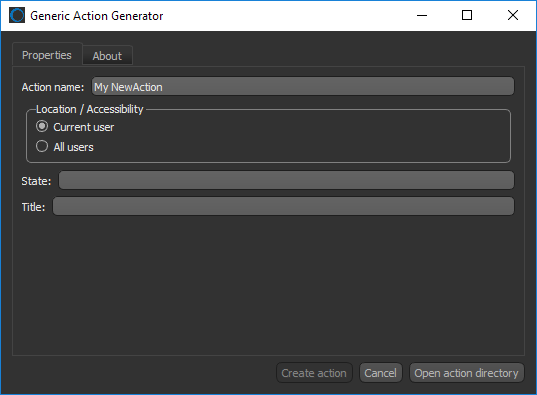
The Generic Action Generator, shown below, helps you to integrate new actions for your image processing and analysis workflows.
Choose Developer > Generic Action Generator on the menu bar to open the dialog.
Generic Action Generator dialog
Refer to the developer documentation for more information about generating new actions. Choose Help > Dragonfly Developer Documentation on the menu bar to access the developer documentation.

 LEARNING LINKS

